
Global Search
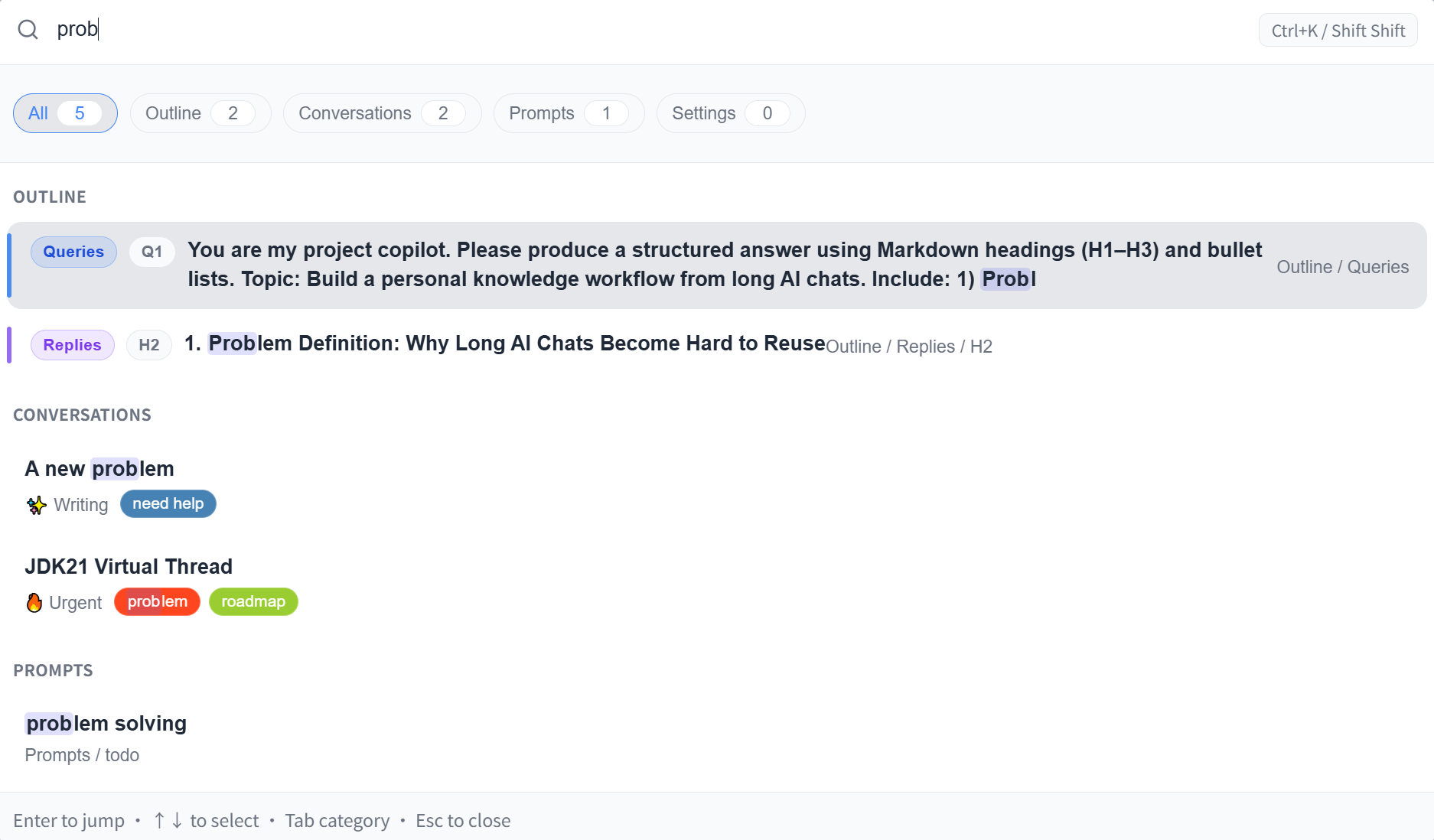
Press Ctrl+K (Cmd+K on Mac), or click the search icon in the floating buttons, to open the global search overlay. It brings outline nodes, conversation history, prompts, and settings items into a single search field — no more hunting through individual tabs.
Search Scope
| Type | What's included |
|---|---|
| Outline nodes | All headings and your questions in the current conversation |
| Conversations | Saved conversations across all platforms (by title, tag, or folder) |
| Prompts | Titles and content from your prompt library |
| Settings | Feature names and keywords from the settings page |
Results are grouped by type. Use the arrow keys to navigate, Enter to jump, and Esc to close.
Syntax Filters (Conversation Search)
Add a prefix in the search box to narrow results to a specific dimension:
| Syntax | Effect | Example |
|---|---|---|
folder:name | Only show conversations in a specific folder | folder:work |
tag:name | Only show conversations with a specific tag | tag:research |
site:platform | Only show conversations from a specific AI site | site:claude |
Syntax filters can be combined with regular keywords. For example, site:gemini tag:research finds conversations on Gemini that have the "research" tag.
Prompt Search — Insert Behavior
When you select a prompt from results and press Enter, the default behavior adapts to the situation:
- If there's an available input box on the current page, the prompt is inserted directly
- Otherwise, Ophel switches to the prompts tab and highlights the entry
You can change this to "locate only" (always jump and highlight, never insert) in Settings → Global Search.
Trigger Methods
| Method | Description |
|---|---|
Ctrl+K | Default shortcut (Cmd+K on Mac) |
| Floating button | Click the search icon |
| Double Shift | Optional; enable in settings. Unlike other shortcuts, this works even when the page isn't focused |
Related Settings
Settings → Global Search:
| Setting | Description |
|---|---|
| Double Shift | Enable double-pressing Shift to open search (useful when Ctrl+K isn't convenient) |
| Fuzzy search | When on, partial matches are allowed — searching "rans" finds "translate". When off, only exact substring matches are returned |
| Prompt Enter behavior | What happens when you press Enter on a prompt result: smart insert or locate only |